How to Verify Signature in PDF: The Ultimate Guide
Why PDF signature verification matters
Digital signatures have fundamentally changed how we handle contracts, legal documents, and financial records. But a digital signature is only as good as your ability to validate it. If you are struggling with confusing software warnings or simply need to verify signature in PDF documents quickly and accurately, you are in the right place.
Tired of downloading clunky software just to check a document? Try AuditSignPro to verify your PDF online instantly.
Why is verifying a PDF signature crucial?
When you receive a signed PDF, you cannot just trust the visual appearance of a signature. Visuals can be easily copied or forged. Cryptographic verification ensures three critical elements:
- Signer Identity: Confirms exactly who signed the document.
- Data Integrity: Guarantees the document has not been tampered with or altered since the signature was applied.
- Non-Repudiation: Ensures the signature holds up in court and meets strict global compliance standards.
The pain points of traditional verification methods
Historically, checking a signature meant relying on legacy desktop software like Adobe Acrobat. This often leads to frustrating roadblocks:
- “Signature Not Verified” errors: Software often fails to recognize perfectly valid signatures because a specific root certificate is not manually trusted on your local machine.
- “At least one signature has problems” warnings: Confusing messages that leave non-technical users guessing about the document's legal validity.
The modern solution: instant pop-up verification
You do not need to be a cryptography expert to validate a document. With a cloud-based SaaS platform like AuditSignPro, the process is frictionless. The moment you upload your PDF, our engine performs an instant cryptographic check and presents a clear, easy-to-understand pop-up result.
Based on global security standards, your PDF signature will instantly fall into one of these specific scenarios:
Common verification scenarios
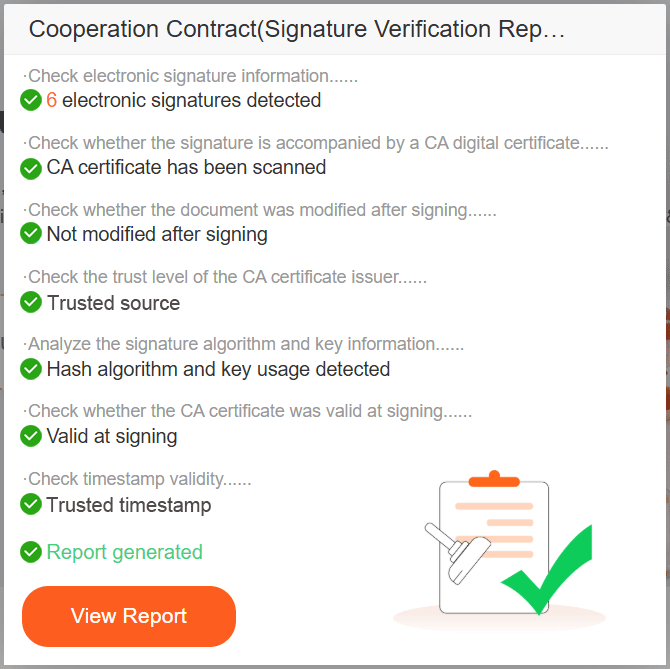
The signature is valid
Everything is mathematically sound. The document is pristine, the certificate is trusted, and zero modifications have occurred.
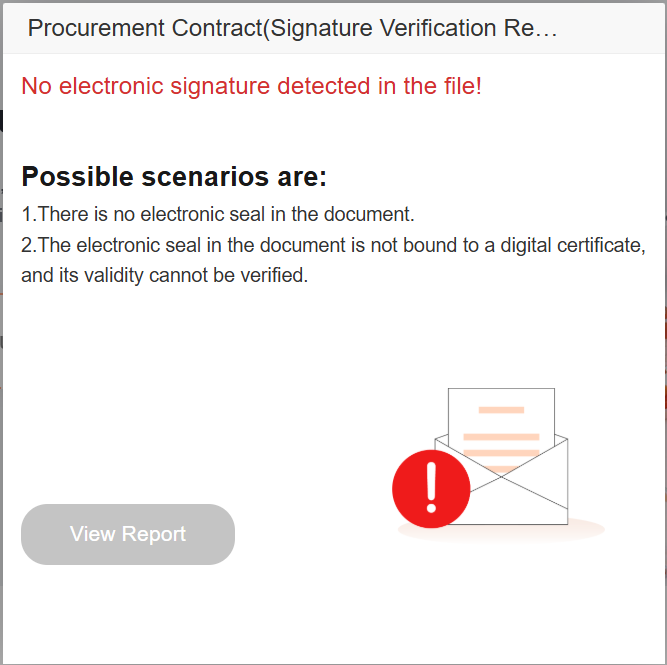
Invalid (simple image stamp / no CA certificate)
Only a visual stamp is detected, with no cryptographic data or valid CA certificate. Without trusted certification, neither the signer’s identity nor the document’s integrity can be legally verified.
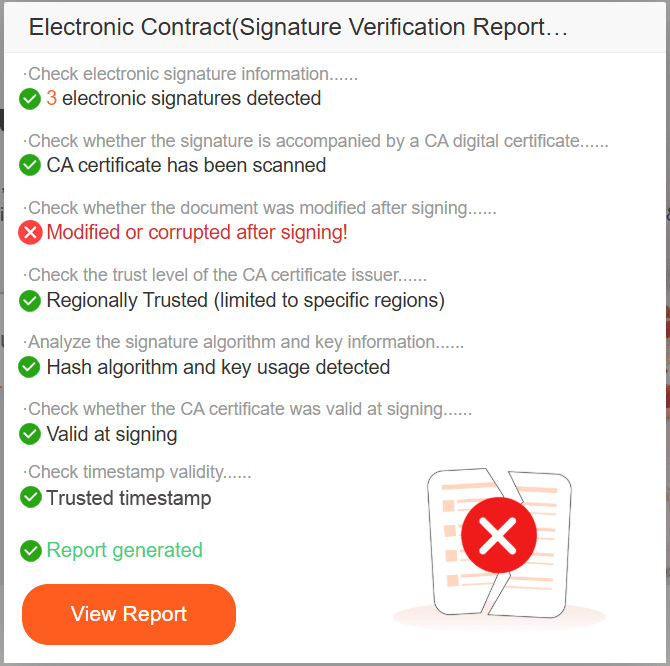
Invalid (document tampered)
The signature cryptographically fails because the document's content (the hash value) was altered after the signature was applied. This is a critical security red flag.
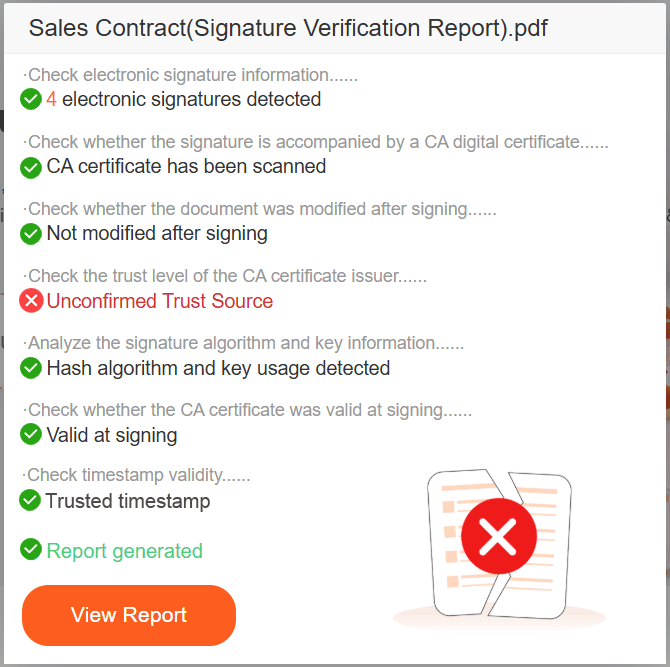
Invalid (untrusted identity / certificate)
The document has not been changed, but the signer's identity cannot be verified. This often happens with self-signed certificates or certificates not listed in global trust lists (such as AATL).
Invalid (certificate expired or revoked)
The digital certificate used to sign the document was either expired at the time of signing or had been actively revoked by the Certificate Authority (CA) due to compromise.
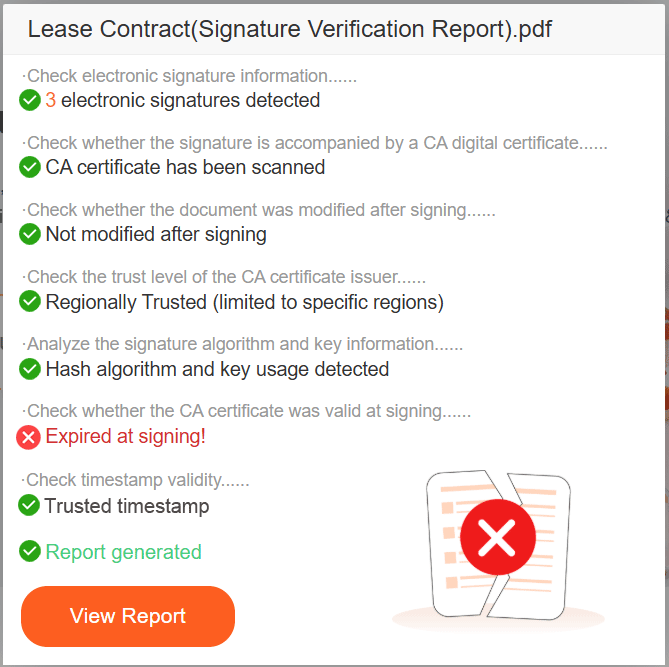
Invalid (format or timestamp error)
The signature structure is corrupted, or there is a critical failure in validating Long-Term Validation (LTV) or the Timestamp Authority (TSA).
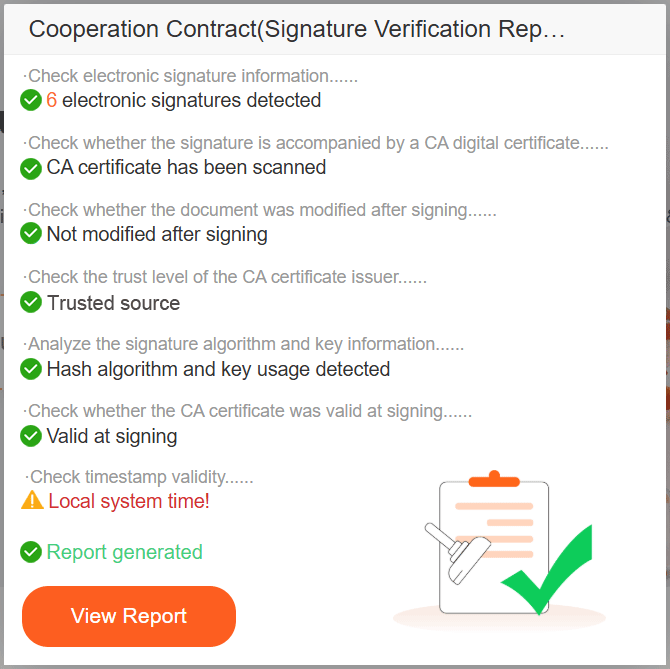
Note: Every instant pop-up includes a direct “View Report” button, allowing you to dive straight into the cryptographic evidence.
12-point cryptographic verification: built for professionals
What happens behind the scenes when you upload a file? While the pop-up gives you a simple “Valid” or “Invalid”, our engine is executing a rigorous 12-point verification process. This depth is what makes AuditSignPro the trusted choice for auditors, lawyers, and compliance officers.
When you click “View Report”, you unlock a professional audit trail that includes these 12 critical indicators:
- Document hash integrity: ensuring not a single byte has changed.
- Signature cryptography match: verifying the RSA/ECDSA mathematical proofs.
- Signer identity validation: extracting exact details of the certificate subject.
- Certificate chain of trust: tracing back to the Root Certificate Authority.
- AATL & EUTL compliance: checking against global trusted authority lists.
- Regional certificate recognition: validating certificates endorsed by specific national or regional authorities.
- CA jurisdiction and entity type: identifying the issuing country and the specific nature of the trusted CA.
- Real-time OCSP response: ensuring the certificate was valid at the exact moment of signing.
- Timestamp Authority (TSA) check: validating the independent cryptographic time record.
- Long-Term Validation (LTV): confirming the signature will remain verifiable years into the future.
- Signature type and format: identifying PAdES standards and visual/invisible signatures.
- Algorithmic security level: ensuring the encryption standards (e.g., SHA-256) meet modern security requirements.
Deep dive: export your legally defensible report
For enterprise compliance and legal discovery, a simple status is not enough. You need proof.
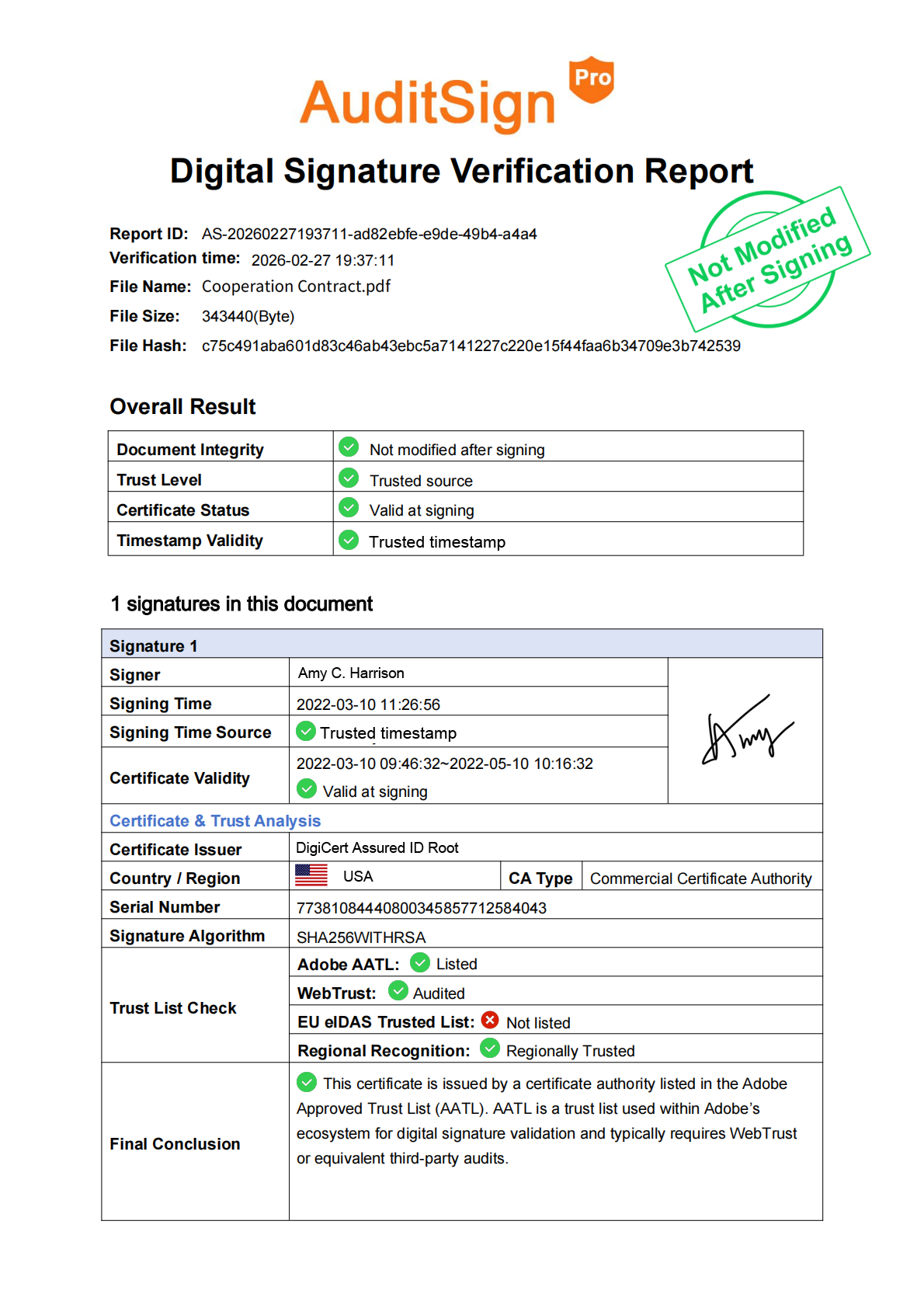
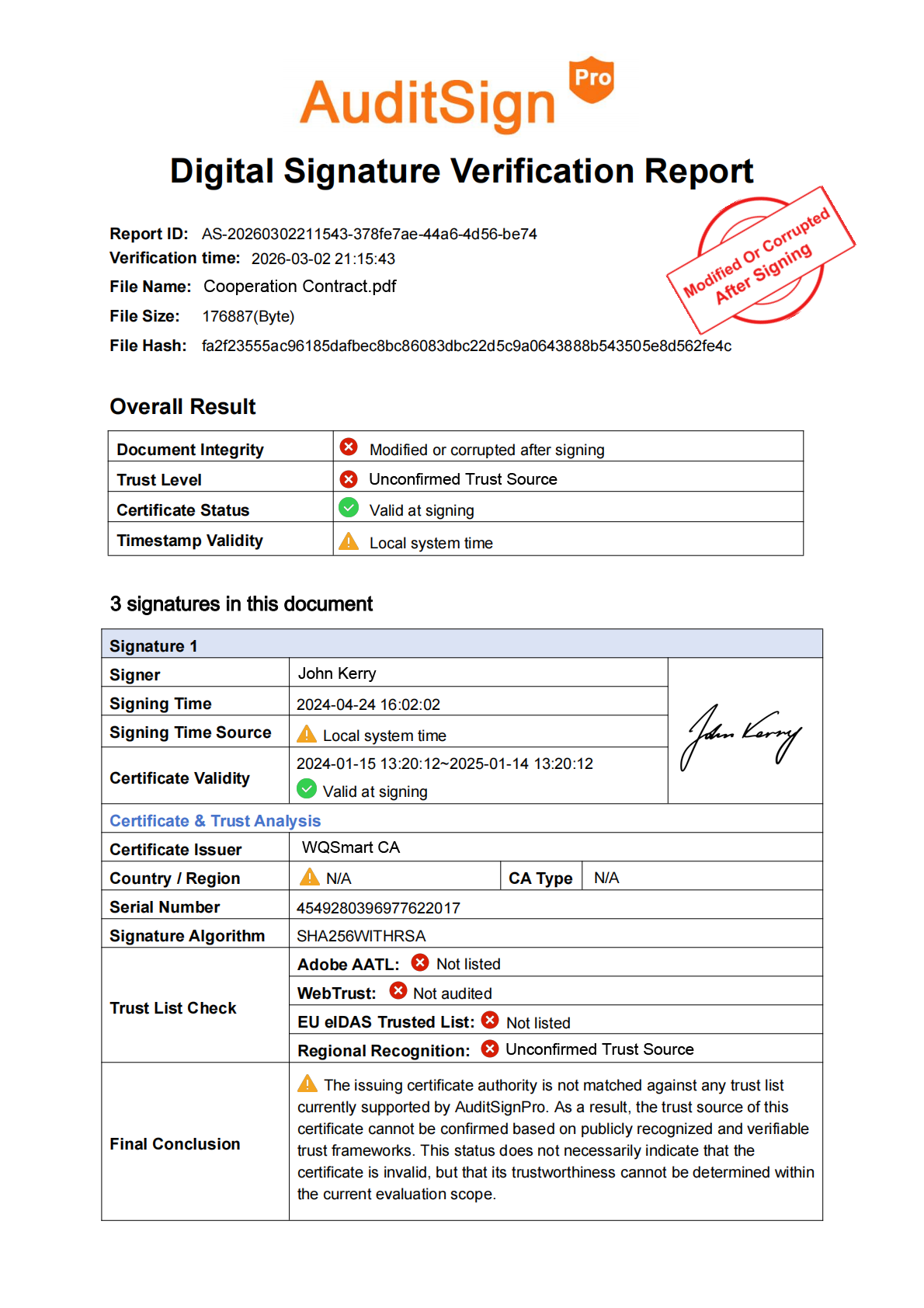
AuditSignPro generates comprehensive, exportable verification reports that serve as cryptographic proof of your document's status. Download the PDF report, attach it to your compliance records, and help guarantee non-repudiation in legal or business scenarios.
Frequently asked questions (FAQ)
What happens if a signature is not verified?
If a signature is not verified, it means the software cannot validate the certificate's trust chain, or the document has been modified. It is highly recommended to use an independent 12-point diagnostic tool like AuditSignPro to uncover the exact reason.
Can I verify a PDF signature without Adobe?
Yes. Cloud-based platforms like AuditSignPro allow you to instantly verify digital signatures and generate professional audit reports in any web browser, completely eliminating the need for desktop software.